
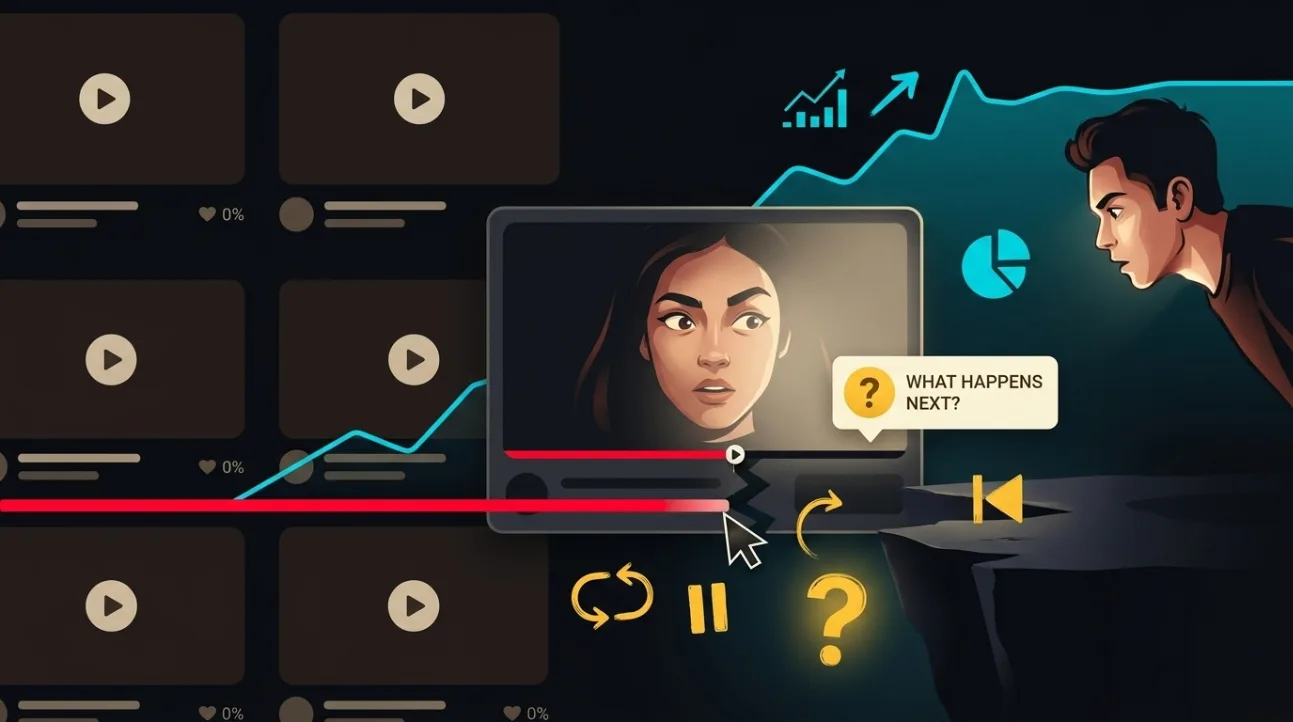
A cliffhanger in a video is a question you open on purpose and answer later: which of the three microphones won, whether the repair held, what the test showed. Done well, it gives viewers a reason to keep watching. Advice about cliffhangers tends to oversell them with brain chemistry and ready-made formulas. This article sets out what research actually supports, where it stops, and how to use your own retention data to place a cliffhanger and check whether it helped.
Key takeaways
- Curiosity is well studied: people want to close a gap in what they know, and in lab studies curiosity about an answer engaged reward-related brain regions and improved memory for it. None of those studies measured video retention.
- People tend to go back to an interrupted task, but the claim that unfinished things are remembered better did not hold up in a 2025 meta-analysis.
- A specific open question works better than a vague tease. “You won’t believe what happens next” names nothing, and on real headline tests vague wording lost.
- Never hold back the answer the title promised. A cliffhanger should open a new question, not delay the one the viewer clicked for.
- Use the audience retention report in YouTube Studio to decide where a cliffhanger belongs and to judge whether it helped. YouTube’s Test & compare cannot test the inside of a video.
What is known about why cliffhangers work
The idea behind a cliffhanger is curiosity, and curiosity has a solid research base. Loewenstein’s information-gap account, published in 1994, describes curiosity as the feeling that arises when people notice a gap between what they know and what they want to know, and a pull to close it.
Brain-imaging studies add something real but narrow. Kang and colleagues (2009) asked people trivia questions and found that the more curious they were about an answer, the more reward-related regions were engaged, and the better they remembered the answer later. Gruber, Gelman and Ranganath (2014) found that states of high curiosity improved learning, through circuits that involve dopamine. Both studies used trivia questions in a scanner, not videos in a feed. They support the idea that an open question can make the answer more engaging. They do not show that a cliffhanger raises your average view duration, or by how much.
A related claim is often quoted under the name of the Zeigarnik effect: that people remember unfinished things better, so an unresolved moment stays with the viewer. A 2025 meta-analysis by Ghibellini and Meier found no such memory advantage. What it did find is a tendency to go back to an interrupted task, known as the Ovsiankina effect. That is closer to “people like to finish what they started” than to “an open loop haunts the viewer”, and it is a fair description of what a cliffhanger asks of an audience.
Where the evidence stops
We found no study that measured the effect of cliffhangers on YouTube retention. Everything about placement, frequency and wording is practice, not research, and is presented here as such.
The closest evidence on real behaviour comes from headlines, not videos. A registered report on 8,977 randomized headline tests found that clicks peak at a middle level of concreteness: a headline too vague to say what it is about loses, and so does one that gives everything away. If the same holds inside a video, the worst cliffhanger is the vague one. “Wait until you see what happens” promises a surprise without naming anything, which is the form that lost on real tests.
Our own scores point the same way. ThumbSignal rates a thumbnail and title on a cliffhanger factor, and across 642 real videos that rating correlated at 0.88 with the curiosity rating. In practice they measure one thing: how much the packaging leaves open. A cliffhanger is the narrative form of curiosity, not a separate lever.
Where to place a cliffhanger: read your retention graph
The best guide to placement is your own audience retention report in YouTube Studio. For videos of at least a minute with enough views, it highlights key moments:
- Intro: the share of viewers still watching after the first 30 seconds. If it is low, YouTube’s own advice is to check that the thumbnail and title match the video and to rework the opening. A cliffhanger does not fix a broken promise.
- Dips: moments viewers skipped or left. A specific question opened just before a known dip, and answered after it, gives viewers a reason to stay through a slower section.
- Spikes: moments viewers rewatched or shared. They can mean strong interest or a confusing passage, so watch them before drawing a conclusion.
- Top moments: stretches where almost nobody left. YouTube suggests moving them earlier, since audiences shrink as a video goes on.
That last suggestion is a useful check on cliffhangers. If your best material sits at the end so that a tease can point to it, many viewers will leave before they get there. Open the question early, but deliver the strongest material as soon as the video can honestly support it.
How to write a cliffhanger that names what is coming
A good cliffhanger tells the viewer what question is open, so they can decide it is worth waiting for. A weak one asks them to trust that something will be worth it.
| Vague tease | Specific open question |
|---|---|
| “You won’t believe what happens next.” | “One of these three mics cost a tenth of the others and beat two of them. First, the one that failed.” |
| “This changes everything.” | “The fix held for a week. Here is what broke on day eight.” |
| “Stay to the end for a surprise.” | “At the end, the full cost of the build, including the part I had to buy twice.” |
The examples are illustrations, not tested lines. What they share is that each names the answer the viewer is waiting for and is true of the video. Pair the line with whatever your editing style already uses to mark a turn, such as a cut or a text overlay, and keep the pause short: the aim is to open a question, not to stall.
Cliffhangers versus broken promises
The line between a cliffhanger and a bait-and-switch is the title. A viewer who clicked “How I fixed my Wi-Fi in five minutes” is owed the fix. Holding it back until the last minute behind a series of teases is not a cliffhanger; it is withholding the thing they came for.
So open new questions rather than delaying the promised one. Deliver what the title promised early, then open the next question: why the obvious fix failed first, or what it cost. That keeps the viewer’s reason for staying honest.
It also matches what YouTube says it measures. Its VP of Engineering, Cristos Goodrow, described in 2021 how the recommendation system uses surveys that ask viewers to rate videos from one to five stars, with a model predicting those ratings for everyone else. A viewer kept waiting for an answer they were promised up front is unlikely to rate the video highly, however long they stayed.
How to check whether a cliffhanger helped
You cannot A/B test the inside of a video. YouTube’s Test & compare tests titles and thumbnails, not edits. Any check of a cliffhanger is therefore a comparison across videos or over time, which is a hint rather than proof.
- Compare the retention curve around the cliffhanger with the typical retention YouTube shows for your recent videos of a similar length.
- Look at the dip you were trying to bridge. If the curve still drops at the same point, the question did not give viewers a reason to stay.
- Change one thing at a time across a few videos, and keep a note of what you changed, so a pattern can emerge.
Before publishing, you can score your thumbnail and title to see how strongly the packaging leaves a question open, through its curiosity, cliffhanger and withheld-answer factors, and whether promise clarity holds up beside them. The tool reads only the thumbnail and title, so it cannot judge the cliffhangers inside your video.
Correction, 16 October 2026. An earlier version of this article said that cliffhangers raise dopamine and that visual cues are processed faster than text, offered formulas such as “You won’t believe what happens next” as proven, and gave a recommended pause length. None of those claims had a source. The article has been rewritten from the sources below.
Sources
- Loewenstein, G. (1994). The psychology of curiosity: A review and reinterpretation. Psychological Bulletin, 116(1), 75–98. doi:10.1037/0033-2909.116.1.75
- Kang, M. J., Hsu, M., Krajbich, I. M., Loewenstein, G., McClure, S. M., Wang, J. T. and Camerer, C. F. (2009). The wick in the candle of learning: Epistemic curiosity activates reward circuitry and enhances memory. Psychological Science, 20(8), 963–973. doi:10.1111/j.1467-9280.2009.02402.x
- Gruber, M. J., Gelman, B. D. and Ranganath, C. (2014). States of curiosity modulate hippocampus-dependent learning via the dopaminergic circuit. Neuron, 84(2), 486–496. doi:10.1016/j.neuron.2014.08.060
- Ghibellini, R. and Meier, B. (2025). Interruption, recall and resumption: a meta-analysis of the Zeigarnik and Ovsiankina effects. Humanities and Social Sciences Communications, 12. doi:10.1057/s41599-025-05000-w
- Aubin Le Quéré, M. and Matias, J. N. (2025). When curiosity gaps backfire: effects of headline concreteness on information selection decisions. Scientific Reports, 15, 994. doi:10.1038/s41598-024-81575-9
- Goodrow, C. (2021). On YouTube’s recommendation system. YouTube Official Blog. blog.youtube
- YouTube Help. Measure key moments for audience retention. support.google.com/youtube/answer/9314415
- ThumbSignal. Zeigarnik, FOMO, Urgency: What the Evidence Says About Click Triggers, for the correlations between our ratings.
Frequently Asked Questions
Do cliffhangers increase YouTube retention?
They can give viewers a reason to keep watching, and curiosity is well studied in the lab, but we found no study that measured their effect on YouTube retention. Treat them as a technique to check against your own retention report, not a guaranteed gain.
Is it true that cliffhangers release dopamine?
Lab studies found that curiosity about a trivia answer engaged reward-related regions and improved memory for the answer, through circuits that involve dopamine. That is a long way from saying a cliffhanger in your video raises dopamine or watch time. Nobody has measured that.
Where should I put a cliffhanger in a video?
Just before a point where your retention report shows viewers leaving, with the answer after it. Do not use one to hold back what the title promised, and do not push your best material to the end, since many viewers leave before they get there.
How many cliffhangers should a video have?
There is no measured number. Each one should name a real question the video then answers. If you find yourself adding teases that name nothing, the video probably needs a stronger next section rather than another tease.
What is the difference between a cliffhanger and clickbait?
A cliffhanger opens a specific question and answers it. Clickbait promises something the video does not deliver, or withholds what the title promised. If the viewer would feel tricked once the answer arrives, it is not a cliffhanger.