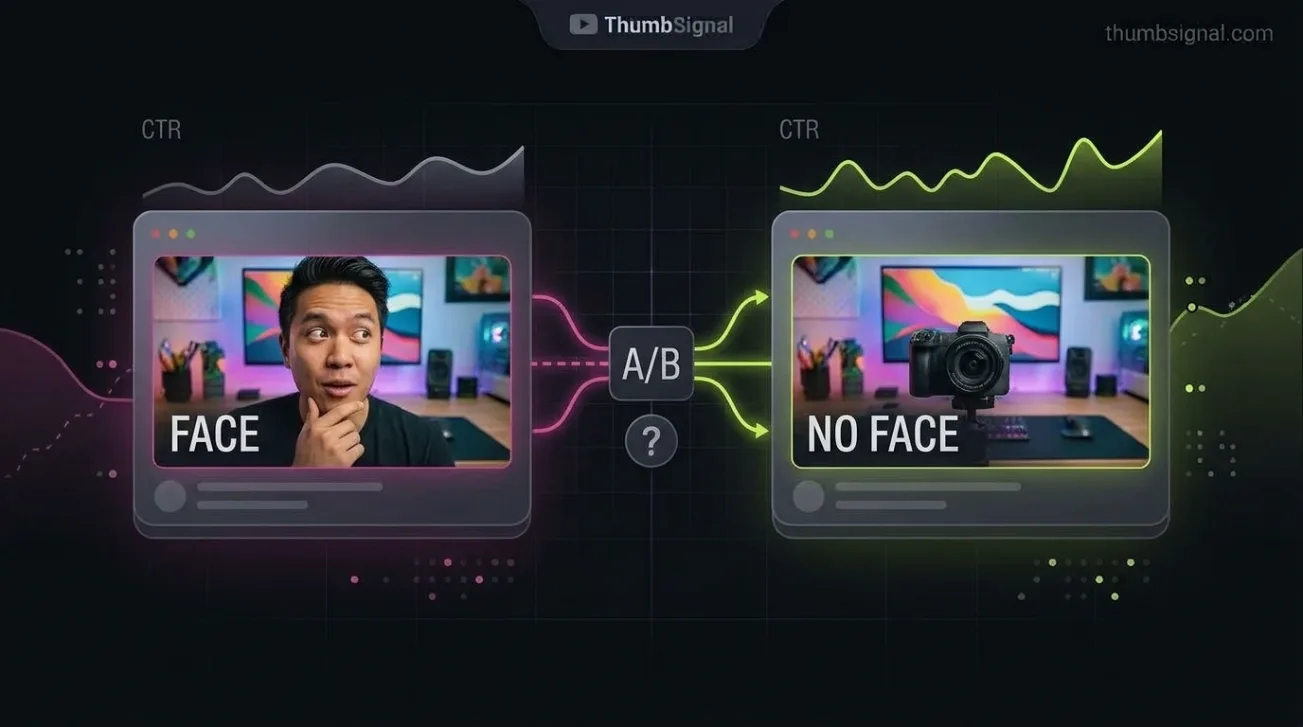
Key takeaways
- Faces in YouTube thumbnails can capture attention faster, but they don’t guarantee higher click-through rates across all niches.
- Faceless thumbnails often outperform face thumbnails in tutorials, gaming, and product review channels where context matters more than emotion.
- It’s not the face itself that drives clicks — it’s the expression, context, and alignment with viewer expectations for that video type.
- You can test face vs. faceless thumbnails on your own channel using YouTube’s A/B testing tools or by comparing performance over time.
- What works for one channel may fail for another — niche, audience, and video intent determine whether a face adds value or distracts.
Do faces improve YouTube thumbnails? What the evidence actually says
Yes, faces in YouTube thumbnails can improve attention — but not universally. Research in visual cognition confirms that human faces draw the eye faster than most other stimuli, especially when they show emotion or direct gaze. But that doesn’t mean adding a face to every thumbnail will increase your click-through rate. The real answer depends on your niche, your audience’s expectations, and the specific video’s purpose. A face that doesn’t match the content can confuse or alienate viewers, reducing clicks instead of boosting them.
What is actually established about faces and visual attention
Studies in cognitive psychology and eye-tracking consistently show that human faces — especially those with expressive eyes or direct gaze — capture attention faster than abstract shapes, text, or objects. This is hardwired into how our brains process social cues. When a thumbnail includes a face looking at the viewer, it triggers a subconscious response: we’re more likely to pause and look. But this effect is strongest when the face is relevant to the video’s content. A face that’s generic, misaligned, or emotionally mismatched doesn’t trigger the same response — and can even reduce perceived credibility.
For example, a thumbnail for a “how to fix a leaky faucet” video with a smiling person staring at the camera may feel misleading. Viewers expect to see the faucet, tools, or a diagram — not a person’s face. In that context, the face becomes noise, not signal.
Categories and niches where faceless thumbnails perform well
Faceless thumbnails often outperform face thumbnails in niches where the content is object-focused, technical, or visually self-explanatory. Gaming channels, for instance, frequently use in-game screenshots or bold text overlays — viewers recognize the game, the level, or the character without needing a human face. Similarly, product review channels rely on clear images of the item being reviewed, often with arrows, labels, or before/after comparisons. Tutorials — whether for software, cooking, or DIY — benefit from showing the process, not the presenter.
Even in channels where the creator is the brand, faceless thumbnails can work better for specific videos. A “10-minute workout” video might perform better with a dynamic shot of someone mid-exercise than a close-up of the instructor’s face. The action, not the identity, is what draws the click.
Why the answer depends on the niche, the channel, and the video
YouTube viewers don’t click on thumbnails based on universal rules — they click based on what they expect from your channel and what they’re looking for in that moment. A cooking channel with a consistent face-in-thumbnail style builds brand recognition; viewers learn to associate that face with quality recipes. But if you suddenly switch to faceless thumbnails, you may confuse your audience. Conversely, a tech channel that never uses faces may lose credibility if it suddenly starts using them — viewers expect clean, object-focused visuals.
The video’s intent also matters. A video titled “I Quit My Job to Travel Full-Time” benefits from a face — it’s personal, emotional, and identity-driven. A video titled “How to Install WordPress in 5 Minutes” does not — it’s instructional, and the viewer wants to see the interface, not your face.
Showing a face vs. showing an expression that carries information
It’s not the presence of a face that drives clicks — it’s the information the face conveys. A neutral, expressionless face adds little value. But a face showing surprise, excitement, or confusion can communicate the video’s tone or outcome before the viewer reads the title. For example, a thumbnail for a “I Tried 100 Cereals” video with a face showing disgust or delight tells the viewer what to expect — even if they don’t read the title.
That’s why many successful creators don’t just add a face — they add a face with a specific expression that matches the video’s hook. A face with raised eyebrows and an open mouth signals surprise or shock. A face with a smirk suggests humor or irony. A face with furrowed brows implies a problem or challenge. The expression, not the face itself, is what triggers the click.
How to test face vs. faceless thumbnails on your own channel
Instead of trusting general advice, test what works for your channel. YouTube’s A/B testing tool (available to channels with 10,000+ subscribers) lets you run two thumbnail variants against each other for a set period. If you don’t have access to A/B testing, you can still test manually by:
- Creating two thumbnail variants for the same video — one with a face, one without.
- Uploading the video with one thumbnail and letting it run for 48 hours.
- Changing the thumbnail to the other variant and letting it run for another 48 hours.
- Comparing the click-through rate (CTR) for each period in YouTube Analytics.
- Repeating the test with different videos to see if the pattern holds.
Track not just CTR, but also audience retention and traffic sources. A thumbnail that gets more clicks but lower retention may be misleading — which hurts long-term performance. You can also use ThumbSignal’s free thumbnail analysis tool to compare your thumbnails against top-performing examples in your niche and get feedback on visual clarity, contrast, and emotional impact.
When to use a face — and when to skip it
Use a face in your thumbnail when:
- The video is personal, emotional, or identity-driven (e.g., “My Journey to 100K Subscribers”).
- The face conveys a clear emotion that matches the video’s hook (e.g., surprise, excitement, frustration).
- Your channel brand relies on your face for recognition (e.g., vloggers, commentators, educators).
- The face is relevant to the content (e.g., a reaction video, a personal story, a tutorial where you’re demonstrating).
Skip the face when:
- The video is instructional, technical, or object-focused (e.g., “How to Use Excel Pivot Tables”).
- The face would distract from the main subject (e.g., a product review, a gaming walkthrough).
- Your audience expects faceless thumbnails (e.g., many tech, finance, or educational channels).
- The face doesn’t add emotional or contextual value — a neutral face is often worse than no face.
Comparing face vs. faceless thumbnails: A practical guide
| Factor | Face Thumbnail | Faceless Thumbnail |
|---|---|---|
| Best for | Personal stories, reactions, emotional hooks | Tutorials, product reviews, gaming, data-driven content |
| Attention capture | Strong — especially with expressive faces | Moderate — relies on contrast, color, and context |
| Brand recognition | High — if face is consistent across videos | Low — unless logo or style is consistent |
| Risk of misleading | Higher — if face doesn’t match content | Lower — if visuals match the video’s subject |
| Testing recommendation | Test with expressive vs. neutral faces | Test with bold text vs. object-focused visuals |
Related reading
Frequently Asked Questions
Do faces always increase click-through rates on YouTube?
No. Faces can increase attention, but they don’t always increase clicks. If the face doesn’t match the video’s content or the audience’s expectations, it can reduce CTR. The key is relevance — a face that conveys emotion or context performs better than a generic one.
Can I use a face in my thumbnail if I’m not on camera?
Yes, but only if it’s relevant. If you’re not on camera, using a face from stock imagery or a screenshot can feel misleading. Instead, focus on visuals that represent the content — tools, products, or diagrams — and use text or icons to convey emotion or urgency.
What if my channel is faceless but I want to try faces?
Start with one video and test it. Use YouTube’s A/B testing tool or manually switch thumbnails after 48 hours. Compare CTR, retention, and traffic sources. If the face performs better, gradually introduce it to other videos. If not, stick with faceless designs that align with your audience’s expectations.
Is it better to use a close-up or a full-body shot of a face?
A close-up usually performs better because it’s more emotionally expressive and easier to read on small screens. A full-body shot can work if the action or context is important — for example, a workout video where the viewer needs to see the movement. But for most cases, a close-up with a clear expression is more effective.
How do I know if my face thumbnail is working?
Check your CTR in YouTube Analytics. If it’s above 5%, your thumbnail is performing well. Also look at audience retention — if viewers drop off quickly, your thumbnail may be misleading. Use ThumbSignal’s free analysis tool to compare your thumbnail against top performers in your niche and get feedback on visual clarity and emotional impact.