Key takeaways
- ThumbSignal is a vidIQ thumbnail tool alternative that analyzes your existing thumbnail and title, not generates new ones.
- Unlike vidIQ’s AI-driven thumbnail generation, ThumbSignal delivers a diagnostic score to improve your current design before publishing.
- Use ThumbSignal to validate your thumbnail’s visual hierarchy, contrast, and emotional appeal — all factors that influence viewer clicks.
- The tool helps you avoid guesswork by quantifying what works in your thumbnail based on proven viewer behavior patterns.
What’s a vidIQ thumbnail tool alternative that analyzes your existing thumbnail?
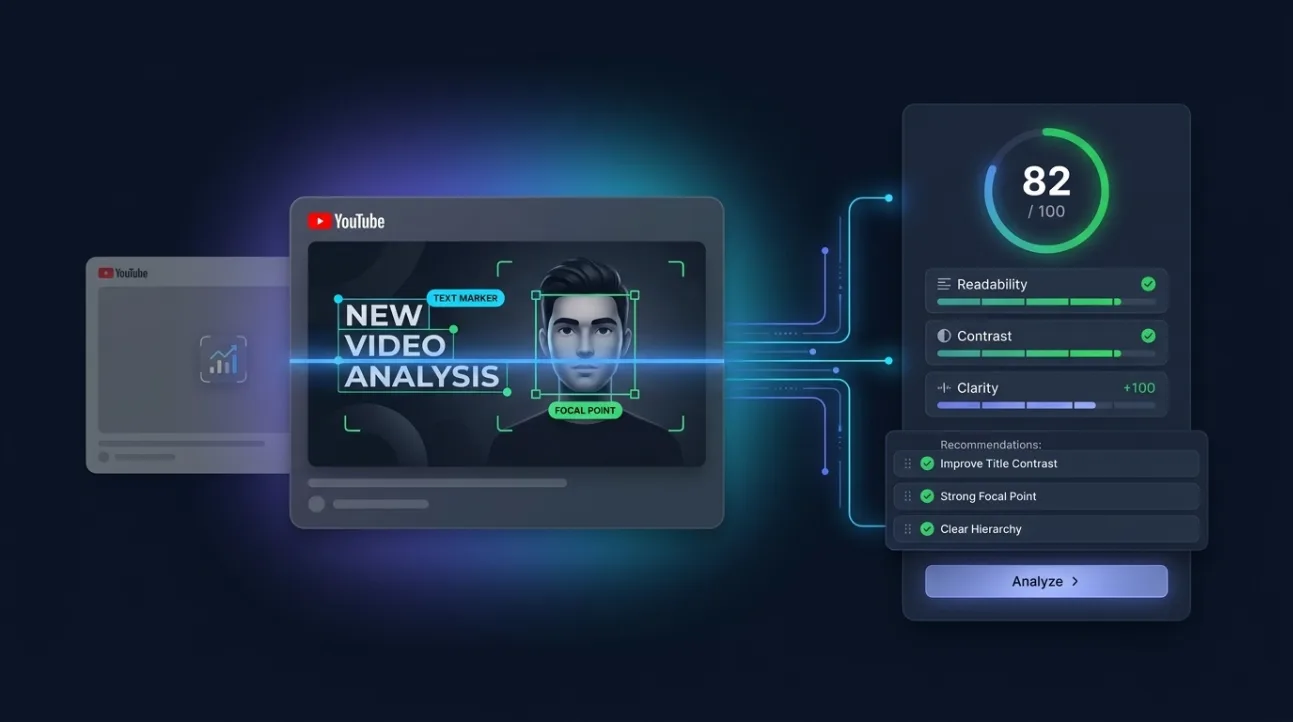
When you need a vidIQ thumbnail tool alternative that doesn’t generate new thumbnails but instead analyzes the one you’ve already made, ThumbSignal is the focused solution. It scores your existing thumbnail and title combo before you publish, giving you actionable feedback to improve click-through potential — without replacing your creative work.
Many creators assume thumbnail tools only generate new options, but analysis is equally valuable. You’ve already invested time in your design — why not validate it before it goes live? ThumbSignal’s scoring system helps you spot weaknesses in contrast, text legibility, emotional pull, and visual hierarchy — all of which directly impact whether viewers click.
Instead of starting from scratch with AI-generated variations, you refine what you’ve already built. This approach saves time and preserves your brand identity while still optimizing for performance. It’s especially useful for creators who have a consistent visual style but want to ensure each thumbnail meets platform best practices.
How does ThumbSignal differ from vidIQ’s thumbnail tool?
ThumbSignal and vidIQ serve different purposes in your thumbnail workflow. vidIQ’s thumbnail tool is currently positioned primarily around AI-generating new thumbnail options from a video, URL, prompt, or reference image. It’s designed to help you brainstorm or iterate on new designs when you’re stuck or starting from scratch.
ThumbSignal, by contrast, analyzes a thumbnail you’ve already made — along with your video title — to deliver a diagnostic score. It doesn’t generate new thumbnails; it evaluates your current one to reveal what’s working and what’s not. This makes it ideal for creators who want to validate their own designs before publishing, rather than rely on AI to create alternatives.
The difference is strategic: vidIQ helps you generate options; ThumbSignal helps you optimize what you’ve already created. Both have value, but they address different stages of the thumbnail process. If you’re confident in your design but want to ensure it’s effective, analysis is the smarter next step.
| Feature | vidIQ Thumbnail Tool | ThumbSignal |
|---|---|---|
| Primary Function | Generates new thumbnail options using AI | Analyzes and scores your existing thumbnail |
| Input Required | Video URL, prompt, or reference image | Your existing thumbnail image + video title |
| Output | New thumbnail variations to choose from | Diagnostic score with improvement suggestions |
Why analyze your thumbnail before publishing instead of generating new ones?
Analyzing your existing thumbnail before publishing helps you preserve creative control while still optimizing for performance. You’ve already invested time in your design — why discard it for AI-generated alternatives unless you’re truly stuck? ThumbSignal lets you validate your work, identify weak spots, and make targeted tweaks without starting over.
Thumbnail generation tools can be helpful when you’re out of ideas, but they often produce generic or off-brand results. Analysis tools like ThumbSignal respect your creative direction while giving you data-driven feedback. This is especially valuable for established channels with a recognizable visual identity — you don’t want to sacrifice consistency for novelty.
Moreover, analysis reveals why a thumbnail might underperform. Is the text too small? Is the color palette too muted? Is the focal point unclear? These are diagnostic questions generation tools don’t answer. ThumbSignal’s score breaks down each factor so you know exactly what to adjust — not just that something’s wrong, but why.
How to use ThumbSignal to analyze your YouTube thumbnail
To analyze your thumbnail with ThumbSignal, upload your existing image and paste your video title. The tool will score it across 12 key factors — including contrast, text legibility, emotional appeal, and visual hierarchy — and deliver a diagnostic report with actionable suggestions.
Here’s how to get the most out of it:
- Upload your thumbnail image in PNG or JPG format — make sure it’s the final version you plan to use.
- Paste your video title exactly as it will appear on YouTube — the tool evaluates how well the two work together.
- Review the diagnostic score and breakdown — each factor is weighted based on its impact on viewer behavior.
- Focus on the lowest-scoring factors first — these are your biggest opportunities for improvement.
- Make targeted adjustments to your thumbnail — tweak contrast, simplify text, or adjust focal point — then re-analyze.
- Repeat until you’re satisfied with the score and the visual impact — don’t chase perfection, but aim for clarity and appeal.
Remember, the goal isn’t to hit a perfect score — it’s to make your thumbnail as effective as possible within your brand constraints. A score of 70+ is typically strong, but even small improvements can lead to noticeable gains in click-through rate.
When should you use a thumbnail analyzer instead of a generator?
You should use a thumbnail analyzer like ThumbSignal when you’ve already created a thumbnail and want to validate or improve it before publishing. This is especially useful if you’re working with a consistent brand style, have a clear visual direction, or want to avoid the trial-and-error of AI-generated options.
Thumbnail generators are better suited for early-stage ideation — when you’re stuck, out of inspiration, or starting from scratch. But once you’ve made a design, analysis gives you more precise feedback than generation ever could. It tells you what’s working, what’s not, and how to fix it — without forcing you to abandon your original vision.
Another scenario where analysis shines is when you’re A/B testing thumbnails. Instead of uploading multiple versions and waiting for data, you can analyze them beforehand to predict which one is more likely to perform well. This saves time and reduces the risk of publishing a weak thumbnail to your audience.
Can you use both a thumbnail analyzer and a generator together?
Yes, you can — and many creators do. Use a generator like vidIQ to brainstorm new ideas or break creative blocks, then use an analyzer like ThumbSignal to evaluate and refine the best options before publishing. This hybrid approach gives you the best of both worlds: creative inspiration from AI, and data-driven validation from analysis.
For example, you might generate three thumbnail options with vidIQ, then upload each one to ThumbSignal to see which scores highest. You can then tweak the top-scoring option based on the diagnostic feedback — adjusting contrast, simplifying text, or enhancing emotional appeal — to make it even stronger.
The key is to use each tool for what it does best. Generators help you explore; analyzers help you optimize. Combining them creates a more efficient, effective thumbnail workflow — one that respects your creative input while still leveraging data to improve performance.
What factors does ThumbSignal analyze in your thumbnail?
ThumbSignal evaluates your thumbnail across 12 key factors that influence viewer behavior — not just aesthetics, but psychological and behavioral triggers. These include contrast, text legibility, emotional appeal, visual hierarchy, color psychology, and more. Each factor is weighted based on its proven impact on click-through rate.
For example, contrast isn’t just about making things stand out — it’s about guiding the viewer’s eye to the most important element. Text legibility isn’t just about font size — it’s about ensuring your message is readable on mobile, where most viewers watch. Emotional appeal isn’t just about using happy faces — it’s about evoking curiosity, urgency, or relatability.
Understanding these factors helps you make smarter design choices. Instead of guessing what works, you’re guided by data. And because the tool scores each factor individually, you can see exactly where your thumbnail needs improvement — whether it’s the color palette, the focal point, or the title alignment.
How to improve your thumbnail score without starting over
You don’t need to redesign your thumbnail from scratch to improve its score. Most improvements are small, targeted tweaks — adjusting contrast, simplifying text, or enhancing emotional appeal. Here’s how to make those changes without losing your original vision:
- Boost contrast by darkening the background or brightening the subject — this makes your thumbnail pop in the feed.
- Simplify text by reducing word count or increasing font size — viewers scan thumbnails in under a second.
- Enhance emotional appeal by adding a relatable expression or a hint of curiosity — this triggers the viewer’s interest.
- Adjust visual hierarchy by making the focal point larger or more central — this guides the viewer’s eye to what matters most.
These changes are quick to implement and can significantly improve your thumbnail’s performance. And because ThumbSignal lets you re-analyze after each tweak, you can see exactly how your changes affect the score — making optimization a fast, iterative process.
Try ThumbSignal’s free thumbnail & title analysis tool
If you’re looking for a vidIQ thumbnail tool alternative that analyzes your existing thumbnail and title before publishing, give ThumbSignal’s free analysis tool a try. Upload your thumbnail, paste your title, and get a diagnostic score with actionable suggestions — all in under a minute. No generation, no guesswork, just clear feedback to help you make your thumbnail as effective as possible.
Related reading
Frequently Asked Questions
Does ThumbSignal generate new thumbnails like vidIQ?
No, ThumbSignal does not generate new thumbnails. It analyzes your existing thumbnail and title to deliver a diagnostic score and improvement suggestions. It’s designed to help you optimize what you’ve already created, not replace it with AI-generated alternatives.
Can I use ThumbSignal to analyze thumbnails for existing videos?
Yes, you can analyze thumbnails for existing videos — but the tool is most effective when used before publishing. Analyzing a live thumbnail can still reveal weaknesses, but you won’t be able to change it without re-uploading the video, which may affect its performance.
How accurate is ThumbSignal’s thumbnail score?
The score is based on 12 factors proven to influence viewer behavior, weighted by their impact on click-through rate. While no tool can predict exact performance, the score gives you a reliable benchmark to compare thumbnails and identify areas for improvement.
Is ThumbSignal free to use?
Yes, ThumbSignal offers a free thumbnail and title analysis tool that provides a diagnostic score and basic feedback. Premium features may be available for more detailed insights, but the core analysis is free for all creators.
Do I need design skills to use ThumbSignal?
No, you don’t need design skills. The tool is designed for creators of all levels — it explains what’s working and what’s not in plain language, so you can make informed tweaks even if you’re not a designer.